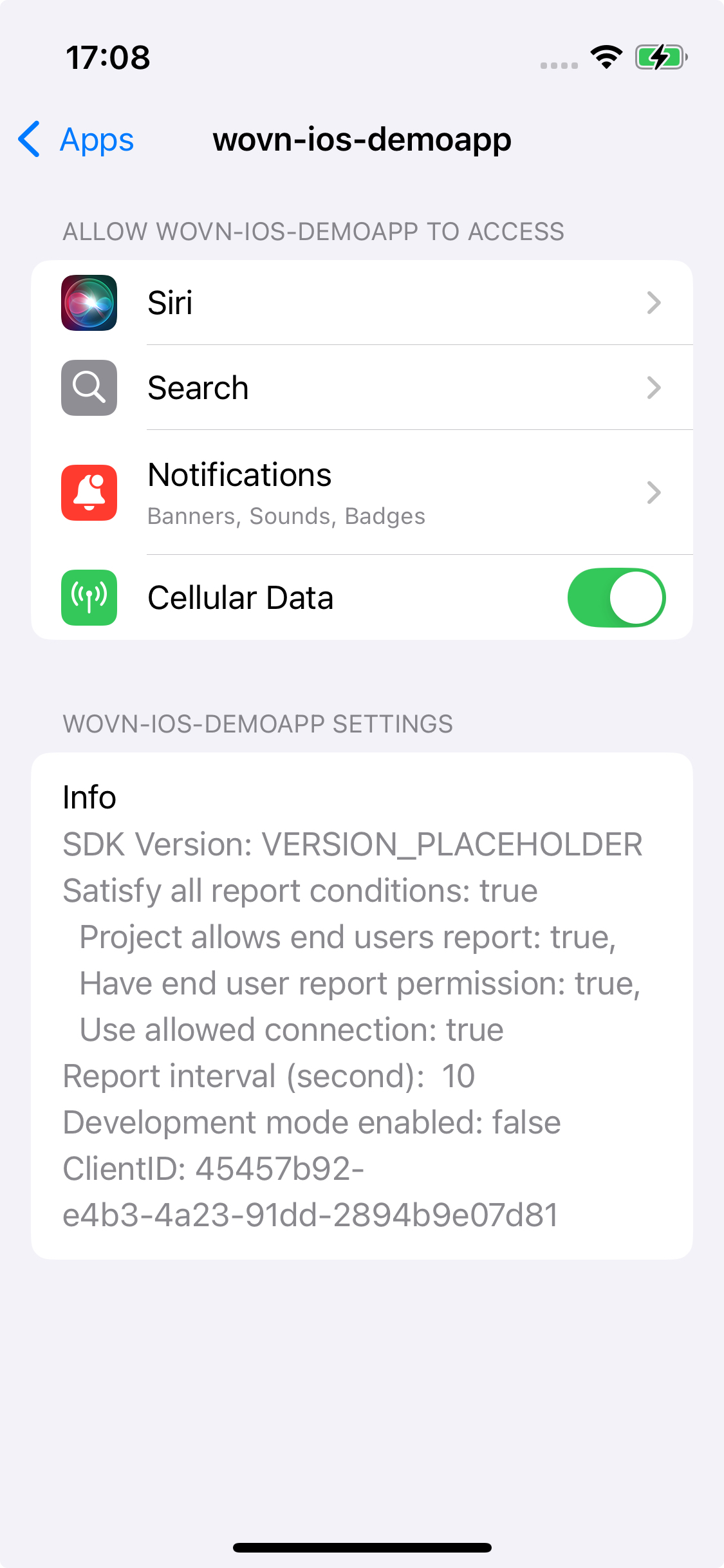
WOVN Settings Screen
This document provides an overview of the WOVN Settings screen feature and step-by-step instructions to integrate it into the iOS Settings app.
Overview
The WOVN Settings screen is a pre-configured interface that displays various WOVN information, including the reporting status and Client ID. You can use the Client ID to register your device on the WOVN Dashboard and enable development mode.
Setup Instructions
Follow these steps to integrate the WOVN Settings screen:
-
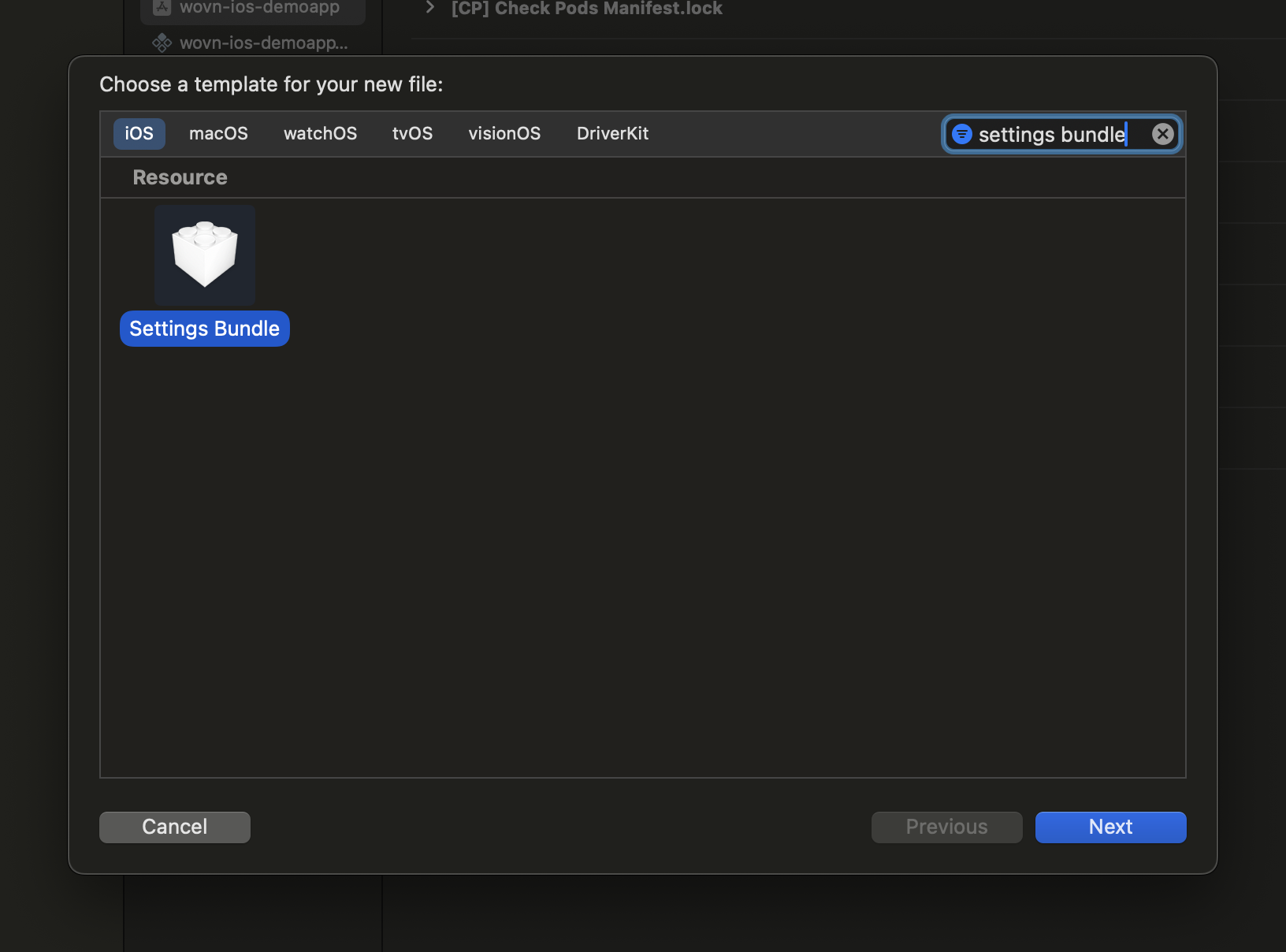
Add a Settings Bundle:
- If you haven't already, add a
Settings Bundleto your project. This can be done by navigating to:File > New > File > Settings Bundle
- Once added, the bundle will be included in your project structure.
- If you haven't already, add a
-
Modify
Root.plist:- In the
Settings.Bundlefolder, locate theRoot.plistfile. - Add the following XML code to
Root.plist. If the file already exists, copy only the section between<!-- WOVN Settings section start -->and<!-- WOVN Settings section end -->.
If your SDK version is >= v4.0.7
<?xml version="1.0" encoding="UTF-8"?>
<!DOCTYPE plist PUBLIC "-//Apple//DTD PLIST 1.0//EN" "http://www.apple.com/DTDs/PropertyList-1.0.dtd">
<plist version="1.0">
<dict>
    <key>StringsTable</key>
    <string>Root</string>
    <key>PreferenceSpecifiers</key>
    <array>
        <!-- WOVN Settings section start -->
        <dict>
            <key>Type</key>
            <string>PSTitleValueSpecifier</string>
            <key>DefaultValue</key>
            <string>Run the app to update data</string>
            <key>Title</key>
            <string>Info</string>
            <key>Key</key>
            <string>wovn_debug_status</string>
        </dict>
        <!-- WOVN Settings section end -->
    </array>
</dict>
</plist>
If your SDK version is < v4.0.7
<?xml version="1.0" encoding="UTF-8"?>
<!DOCTYPE plist PUBLIC "-//Apple//DTD PLIST 1.0//EN" "http://www.apple.com/DTDs/PropertyList-1.0.dtd">
<plist version="1.0">
<dict>
    <key>StringsTable</key>
    <string>Root</string>
    <key>PreferenceSpecifiers</key>
    <array>
        <!-- WOVN Settings section start -->
        <dict>
            <key>Type</key>
            <string>PSTitleValueSpecifier</string>
            <key>DefaultValue</key>
            <string>Run the app to update data</string>
            <key>Title</key>
            <string>Info</string>
            <key>Key</key>
            <string>debug_status</string>
        </dict>
        <!-- WOVN Settings section end -->
    </array>
</dict>
</plist>
This code adds a WOVN Settings section to the iOS Settings app. The WOVN SDK will automatically populate this section with relevant debugging information when the app runs.
- In the
Demonstration
Here's a demonstration of the WOVN Settings screen integrated within the iOS Settings app: