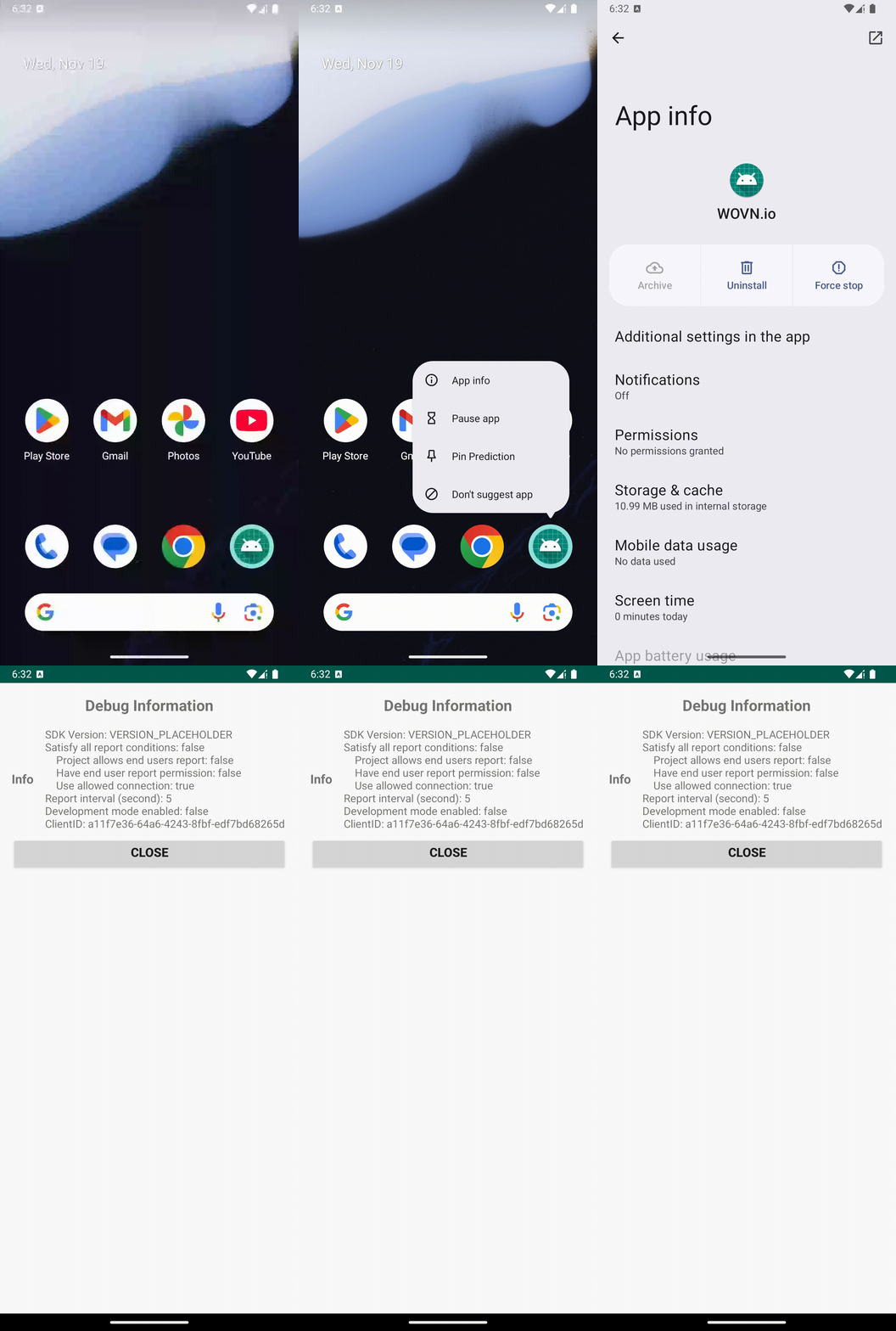
WOVN Settings Screen
The WOVN Settings Screen feature provides a pre-configured interface that displays various WOVN information, including the reporting status and Client ID. You can use the Client ID to register your device on the WOVN Dashboard and enable development mode.
Setup Instructions
To integrate the WOVN Settings screen into your app, add the following code to your AndroidManifest.xml file. This configuration adds the pre-configured WOVN Settings screen to the App Info section of your app.
<activity
    android:name="io.wovn.wovnapp.debugmode.WovnSettingsActivity"
    android:label="Translation Settings"
    android:exported="true">
    <intent-filter>
        <action android:name="android.intent.action.APPLICATION_PREFERENCES" />
        <category android:name="android.intent.category.DEFAULT" />
    </intent-filter>
</activity>
Demonstration
You can preview the functionality of the WOVN Settings screen in this video: