WebView Integration
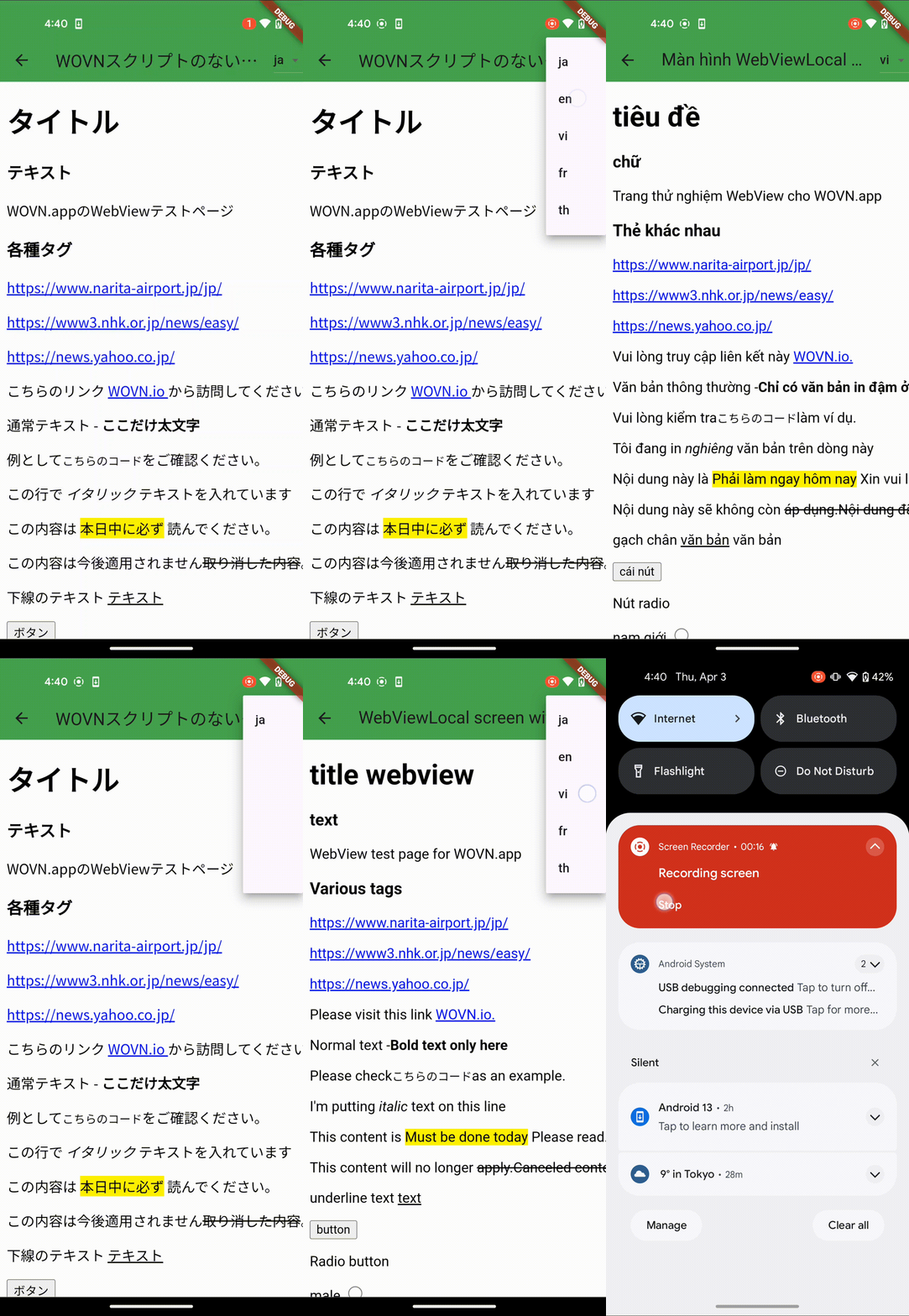
Flutter SDK v4 supports translating WebViews created with the webview_flutter package. By registering each WebViewController with the SDK, WOVN injects the correct script and keeps the embedded page in sync with the app’s active language.
How It Works
- Controller registration – Provide every
WebViewControllertoWovn().followWebViewController(...). The SDK stores a reference and prepares the JavaScript payload. - Translation trigger – Call
Wovn().translateWebViews()whenever the WebView finishes loading (or on demand) so the current language is applied even after navigation. - Token propagation – When you load a remote URL, append the WOVN token as a query parameter if the target page expects it (for example
?token=${Wovn().token}).
Example Implementation
class WebViewWithWovnScriptScreen extends StatefulWidget {
  final String title;
  const WebViewWithWovnScriptScreen({super.key, required this.title});

  @override
  State<WebViewWithWovnScriptScreen> createState() => _WebViewWithWovnScriptScreenState();
}

class _WebViewWithWovnScriptScreenState extends State<WebViewWithWovnScriptScreen> {
  late final WebViewController _controller;

  @override
  void initState() {
    super.initState();
    _controller = WebViewController()
      ..setJavaScriptMode(JavaScriptMode.unrestricted)
      ..setNavigationDelegate(
        NavigationDelegate(
          onPageFinished: (_) => Wovn().translateWebViews(),
        ),
      )
      ..loadRequest(
        Uri.parse('https://wovn-app.neocities.org/webview/android.html?token=${Wovn().token}'),
      );

    Wovn().followWebViewController(
      _controller,
      shouldTranslateImmediately: false,
    );
  }

  @override
  Widget build(BuildContext context) {
    return Scaffold(
      appBar: wovnAppBar(widget.title, context),
      body: WebViewWidget(controller: _controller),
    );
  }
}
Tips
- Call
followWebViewControlleras soon as the controller is instantiated (for example, ininitState). - Use
shouldTranslateImmediately: trueif the WebView loads only once and you do not plan to manually calltranslateWebViews(). - For local HTML content, ensure the page can load the injected script by allowing unrestricted JavaScript execution.
- If you use another WebView package, contact WOVN support; the same two-step approach (register + translate) generally applies.